How to Choose Office Workstations? Complete Buying Guide for Modern Offices
Choosing the right office workstations is an important decision for any business. A well-planned workstation layout can improve employee comfort, productivity, collaboration, storage, and the overall appearance of a workplace. Whether you are setting up a startup, renovating an existing office, or planning a large corporate workspace, selecting the right modular office workstations requires careful consideration.
This office workstation buying guide explains the key factors businesses should consider before investing in workstation furniture.
1. Understand Your Office Space
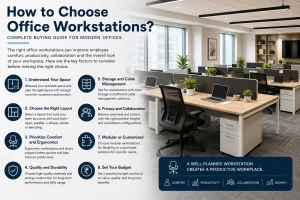
Before selecting office workstations, measure the available space and understand how many employees need seating. Consider walking areas, meeting spaces, storage, reception areas, and emergency access.
For smaller offices, compact modern office workstations can help maximize available floor space. Larger offices can use different workstation configurations to create dedicated areas for teams while maintaining an open and professional environment.
A professional workstation design should balance the number of employees with sufficient movement and comfortable working areas.
2. Choose the Right Workstation Layout
The workstation layout has a direct impact on workplace efficiency. Common options include straight workstations, back-to-back workstations, L-shaped workstations, cluster workstations, and benching systems.
For collaborative teams, open and modular layouts can encourage communication. For employees who require greater concentration or privacy, workstation partitions can provide a more focused environment.
Businesses should select a layout according to their team structure, available space, and working style rather than choosing a design only because it looks attractive.
3. Consider Employee Comfort and Ergonomics
Employee comfort should be a major consideration when selecting office workstation furniture. Employees spend several hours at their desks, so the workstation should provide sufficient legroom, comfortable working height, and practical access to equipment.
An ergonomic office workstation should also support proper monitor positioning, organized cables, and an efficient arrangement of frequently used items.
Combining ergonomic workstations with suitable office chairs can create a more comfortable and productive workplace.
4. Select Durable Materials
Durability is another important factor when buying office workstations. Commercial workspaces experience regular daily use, so furniture should be capable of handling long-term usage.
Look for quality boards, strong frames, reliable hardware, durable edge finishing, and easy-to-maintain surfaces. The right materials can help businesses reduce frequent replacement and maintenance costs.
A professional office furniture manufacturer can also recommend suitable materials according to the type of workplace, usage requirements, and budget.
5. Plan Storage and Cable Management
Modern workplaces depend heavily on computers, monitors, phones, and other electronic equipment. Poor cable management can make an office look untidy and can affect workplace efficiency.
When selecting modular office furniture, check whether the workstation includes practical cable-management solutions, CPU storage, drawers, pedestals, and other required storage options.
A clean cable-management system helps maintain a professional appearance while making it easier for employees to organize their workstations.
6. Consider Privacy and Collaboration
Not every employee requires the same level of privacy. Some teams work best in open environments, while others require quieter spaces for focused work or confidential discussions.
Customized office workstations can include different partition heights, privacy screens, storage units, and workstation configurations. This allows businesses to create a balance between collaboration and individual concentration.
For corporate offices, combining open workstations with meeting rooms, private cabins, and collaborative areas can create a more flexible workplace.
7. Modular vs Customized Workstations
Businesses often have to choose between standard modular office workstations and customized solutions.
Modular workstations are useful when businesses want flexibility, scalability, and efficient installation. They can often be rearranged when teams expand or office layouts change.
Customized office workstations are suitable when a company has specific dimensions, branding requirements, storage needs, or unique workspace layouts.
The right choice depends on the company’s current requirements as well as future expansion plans.
8. Match Workstations With Your Brand and Office Design
Office furniture is also an important part of workplace identity. The colour, materials, partitions, finishes, and overall design of workstations should complement the company’s interior.
Modern office workstations can help create a clean and contemporary appearance, while customized designs can incorporate specific brand elements.
A consistent furniture design across workstations, executive cabins, meeting rooms, and reception areas can create a professional and cohesive office environment.
9. Consider Your Budget
Budget is an important part of the office furniture buying guide, but businesses should avoid selecting furniture based only on the lowest price.
Consider the total value, including material quality, durability, customization, installation, maintenance, storage, and future expansion.
A slightly higher initial investment in quality workstation furniture may provide better long-term value than frequently replacing low-quality furniture.
10. Choose the Right Office Furniture Manufacturer
The manufacturer you select can significantly influence the quality and success of your workplace project. Look for an experienced office furniture manufacturer that can understand your requirements and provide design, manufacturing, delivery, and installation support.
A reliable manufacturer should be able to offer complete office workspace solutions, including workstations, executive desks, conference tables, storage solutions, and other office furniture.
For businesses planning a new office, renovation, or workspace modification, working with an experienced manufacturer can simplify the entire procurement and installation process.
Conclusion
Knowing how to choose office workstations is about more than selecting desks and partitions. The right solution should consider office space, employee comfort, layout, storage, cable management, privacy, durability, aesthetics, scalability, and budget.
Whether you need a small office setup or a large corporate workplace, modular office workstations and customized furniture can help create a functional and professional environment.
A carefully planned workstation solution can support productivity today while also giving your business the flexibility to grow in the future.
Frequently Asked Questions
What should I consider when buying office workstations?
Consider office space, layout, employee comfort, ergonomics, materials, storage, cable management, privacy, durability, budget, and future expansion.
Are modular office workstations suitable for growing companies?
Yes. Modular workstations can provide flexibility when businesses need to expand, rearrange teams, or modify their office layout.
What is the difference between modular and customized office workstations?
Modular workstations offer flexibility through standardized components, while customized workstations can be designed around specific dimensions, layouts, storage requirements, and branding needs.
How can office workstations improve productivity?
A well-designed workstation can provide comfortable working conditions, organized storage, better cable management, efficient space utilization, and an environment suited to different working styles.
Should I choose an office furniture manufacturer or a local supplier?
For larger office projects, an experienced office furniture manufacturer can provide greater control over customization, quality, manufacturing, delivery, and installation.